Features

Every feature exists for one moment: something sounds wrong, people are watching, and you need a clear next move.

Quick Fix

Say it like you would say it out loud.

Type it or speak it: muddy, harsh, buried, underwater, thin, boomy. EQExpert routes your words to the right source, asks one clarifying question when it needs to, and never leaves you at a dead end.

  • One-tap rescue buttons for feedback, dead channel, hum, and clipping. No typing when it is on fire
  • The mic hears your words, never the room. Describe the problem, hands on the faders
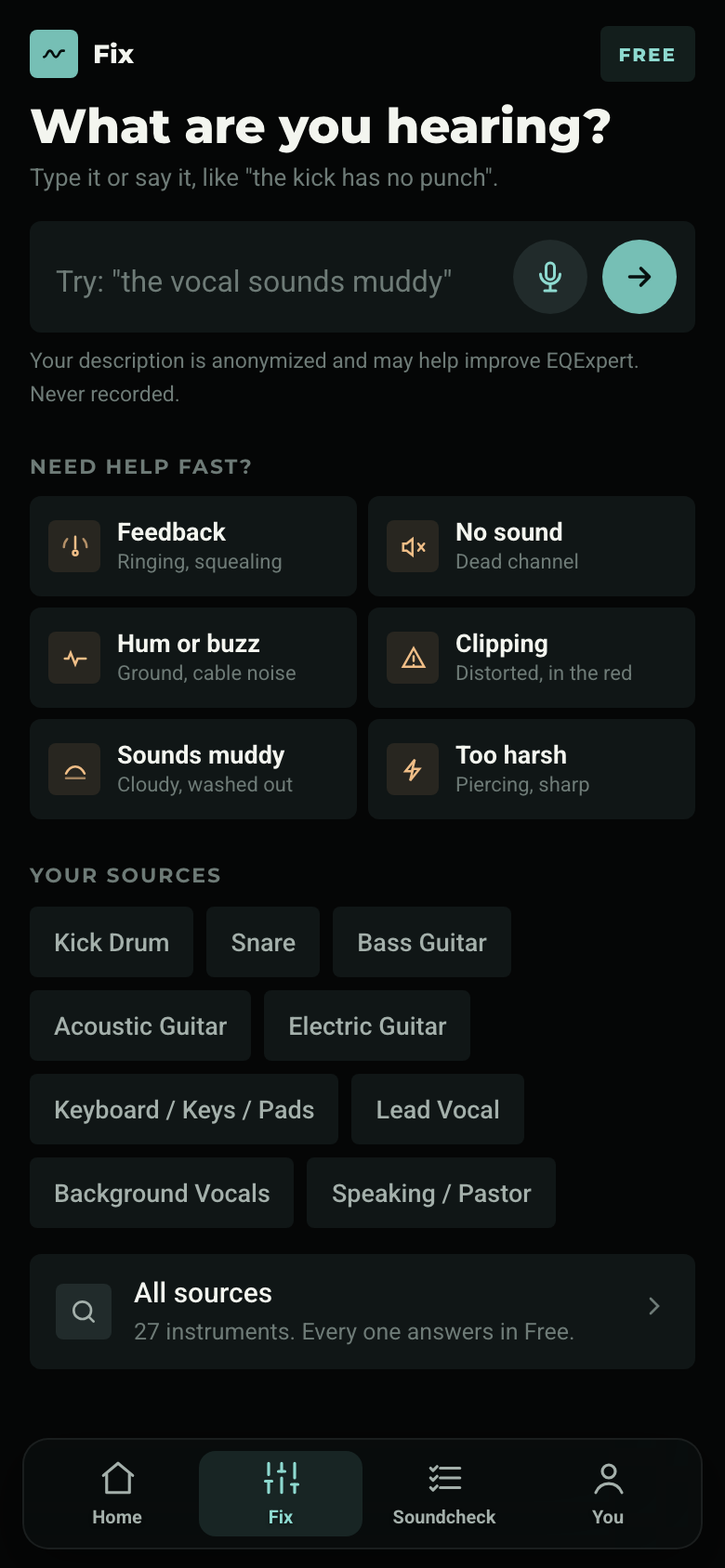
EQExpert Fix tab: describe what you are hearing, plus one-tap buttons for feedback, no sound, hum, and clipping

The answer

A starting move you can see.

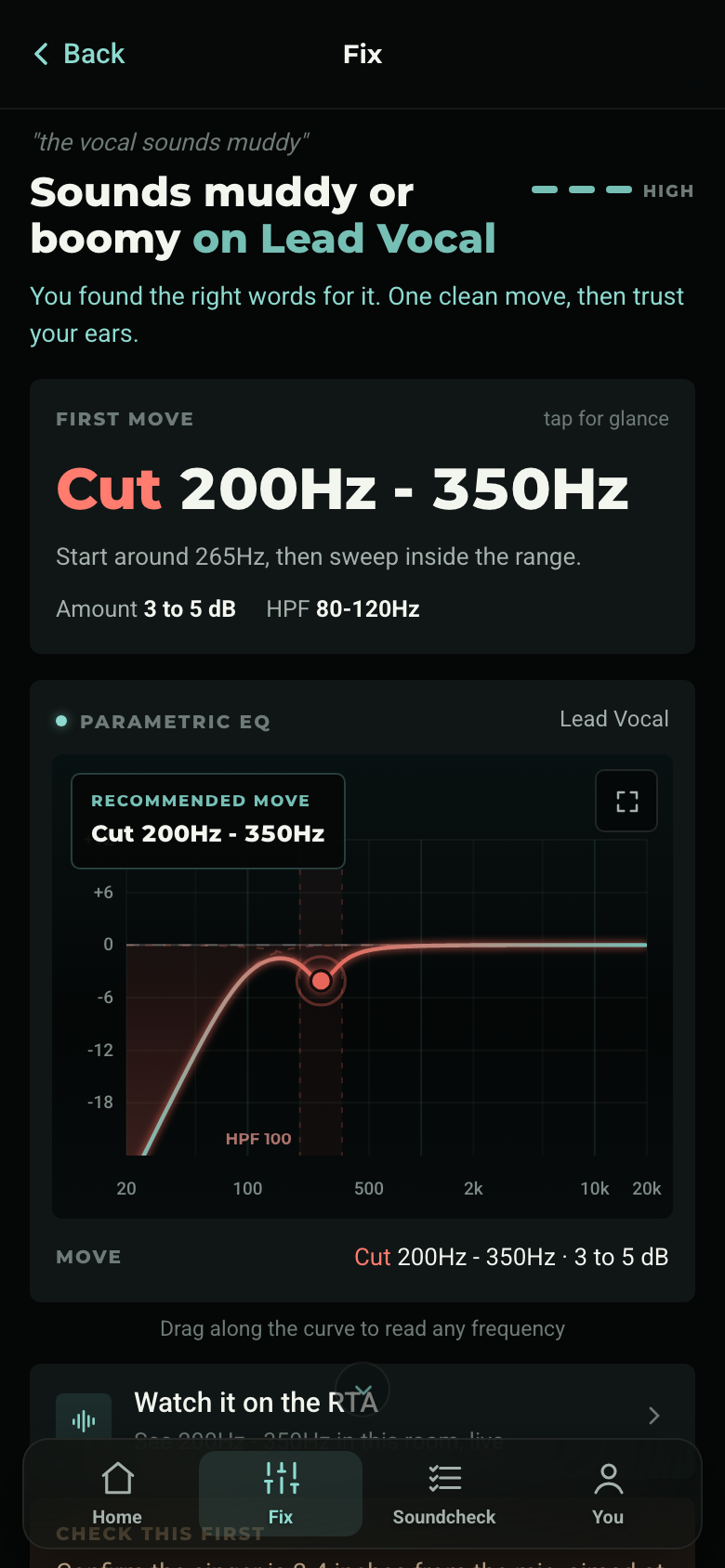
Every answer names the move, the range, and the amount, then draws it on a real parametric EQ curve. You learn what the change looks like while you hear what it does.

  • Check this first. Gain, mic placement, and source checks before you reach for EQ
  • Did it work? Tell it what happened and it guides the next step, including "this is not EQ"
  • The graph is free. It is one of the best teachers in the app, so it stays in Free
EQExpert result: cut 200 to 350Hz on lead vocal, drawn on a parametric EQ curve

Soundcheck Mode

Every channel, one at a time, with the band.

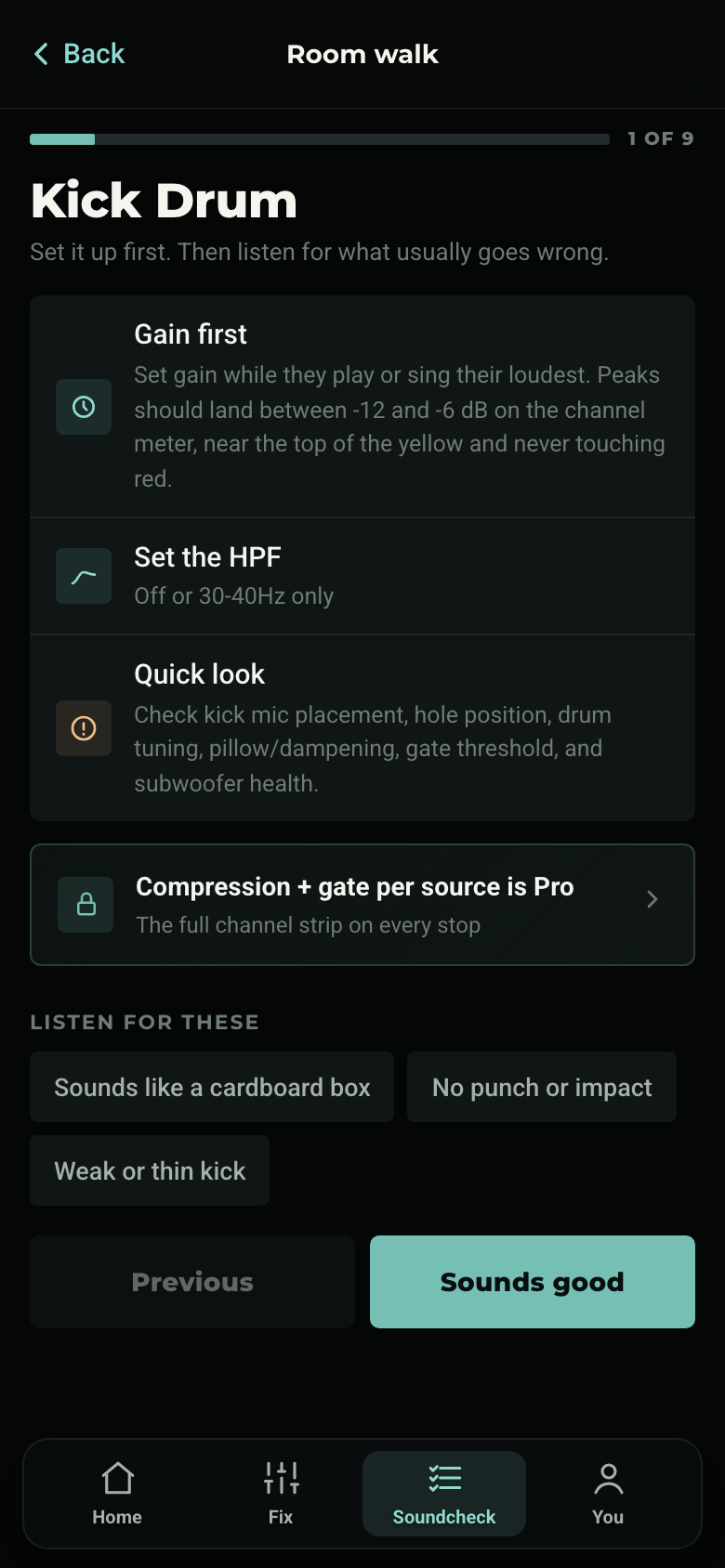
Gain first, HPF, a quick look, and the usual suspects for each source, in stage order: drums, then instruments, then singers, then speakers. The same calm routine every week, readable from the console in a dark room.

  • Listen for these. The usual failure sounds per source, one tap from the fix
  • Pro workflow: saved lineups, up to 3 venues, and resume for unfinished walks
EQExpert Soundcheck Mode on the kick drum: gain first, set the HPF, quick look

The Dictionary

The Sound Engineer’s Dictionary, in your pocket.

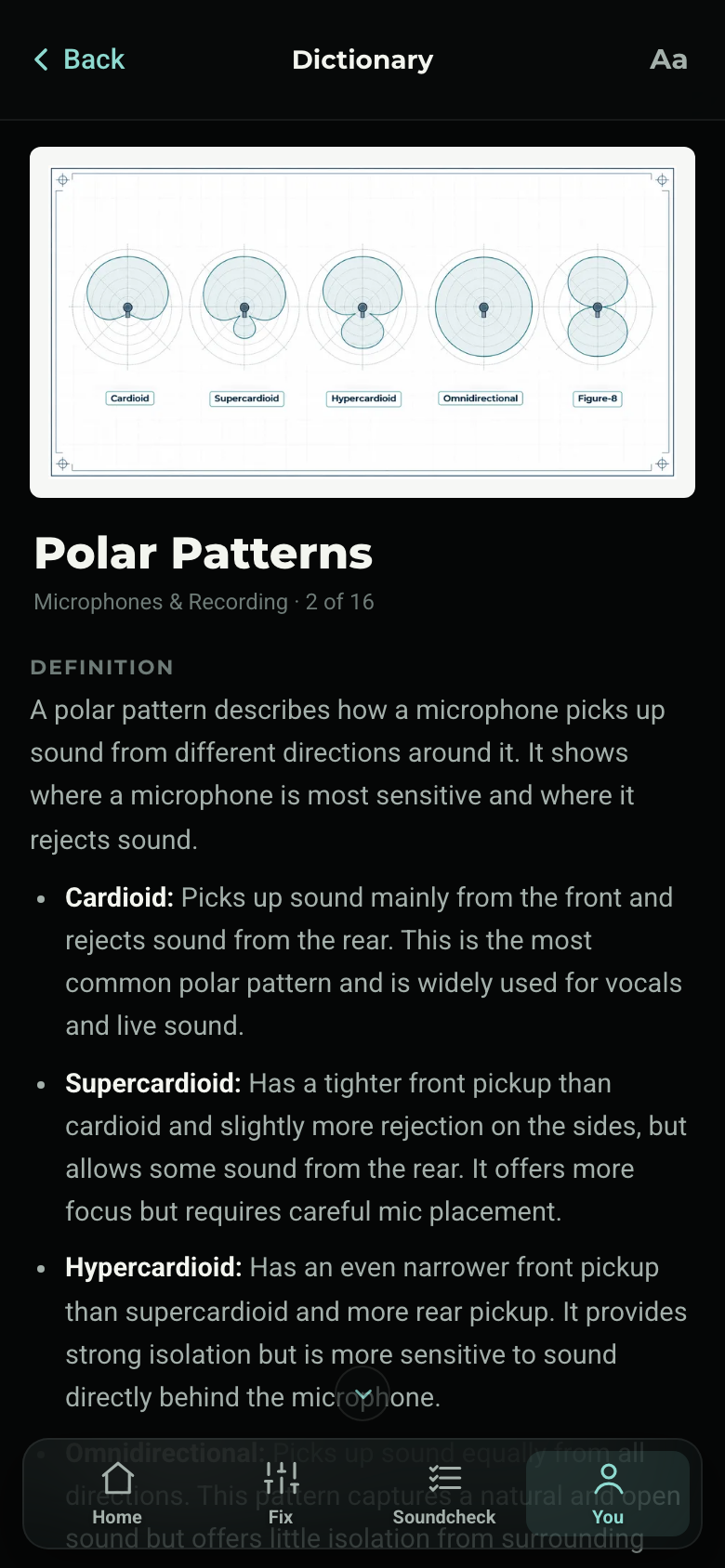
All 128 terms from Volume 1, straight from the published book: the definition, why it matters, and a real-world example, with the book’s own illustrations. Search “48v” or “cardioid” mid-soundcheck and get the answer in seconds, then jump from a term to the fix it explains.

Read it like a book too: page through terms in order, set your reading size, and keep going. It works offline, so a basement with no signal changes nothing. Part of EQExpert Pro; browsing and search stay open in Free.

The Sound Engineer's Dictionary inside EQExpert: the Polar Patterns entry with the book's five-pattern illustration

Real Time Analyzer (RTA)

See the room, live.

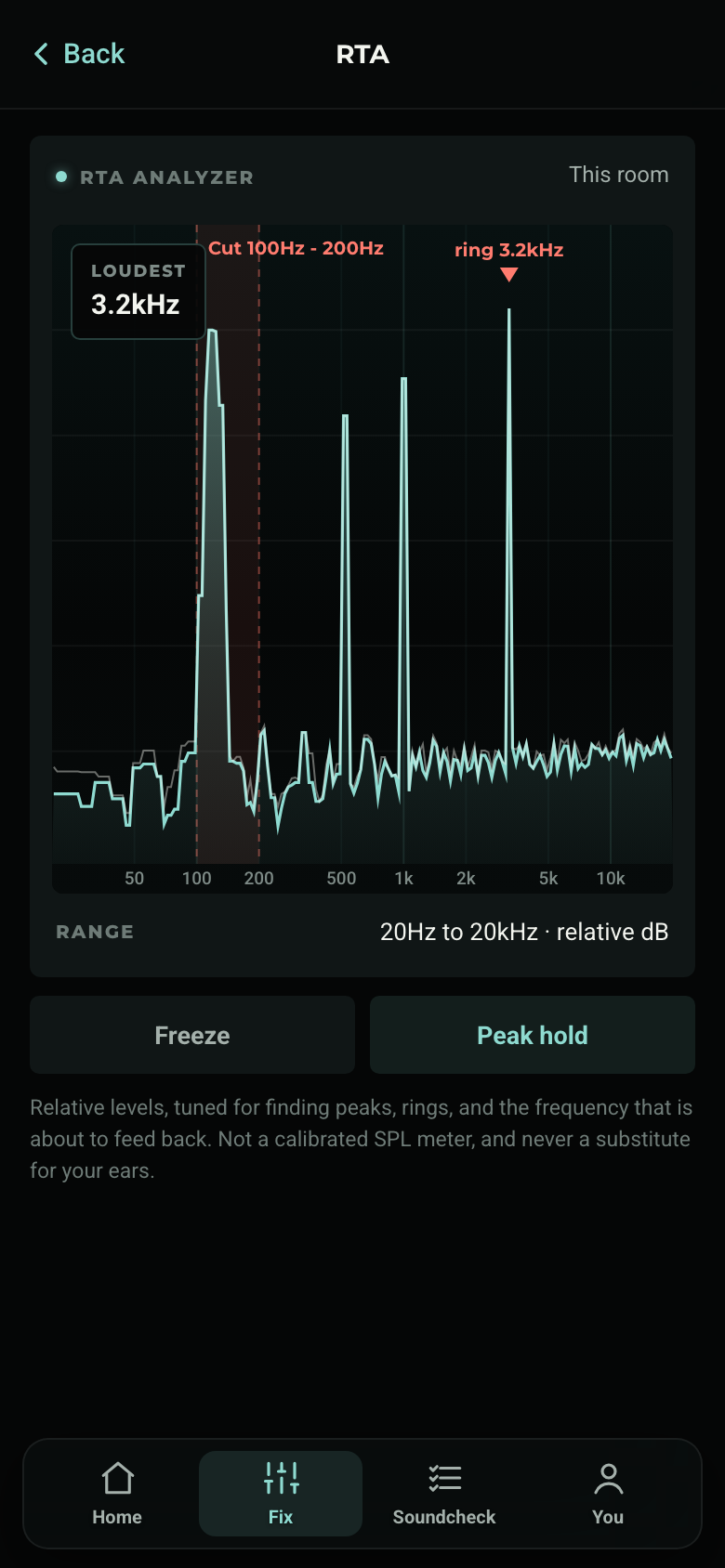
A real-time analyzer built like an instrument: the room’s frequencies drawn live, peaks held, and a sustained ring named before it becomes feedback. Open it from any fix and the exact range you are working on is highlighted on the display.

Honest by design: relative levels for finding peaks and rings, not a calibrated SPL meter, and it never touches your EQ. Your ears make the call. And it is free for everyone.

EQExpert Real Time Analyzer (RTA): live spectrum with the fix range highlighted and a 3.2kHz ring flagged

Ear Training

Learn what muddy sounds like.

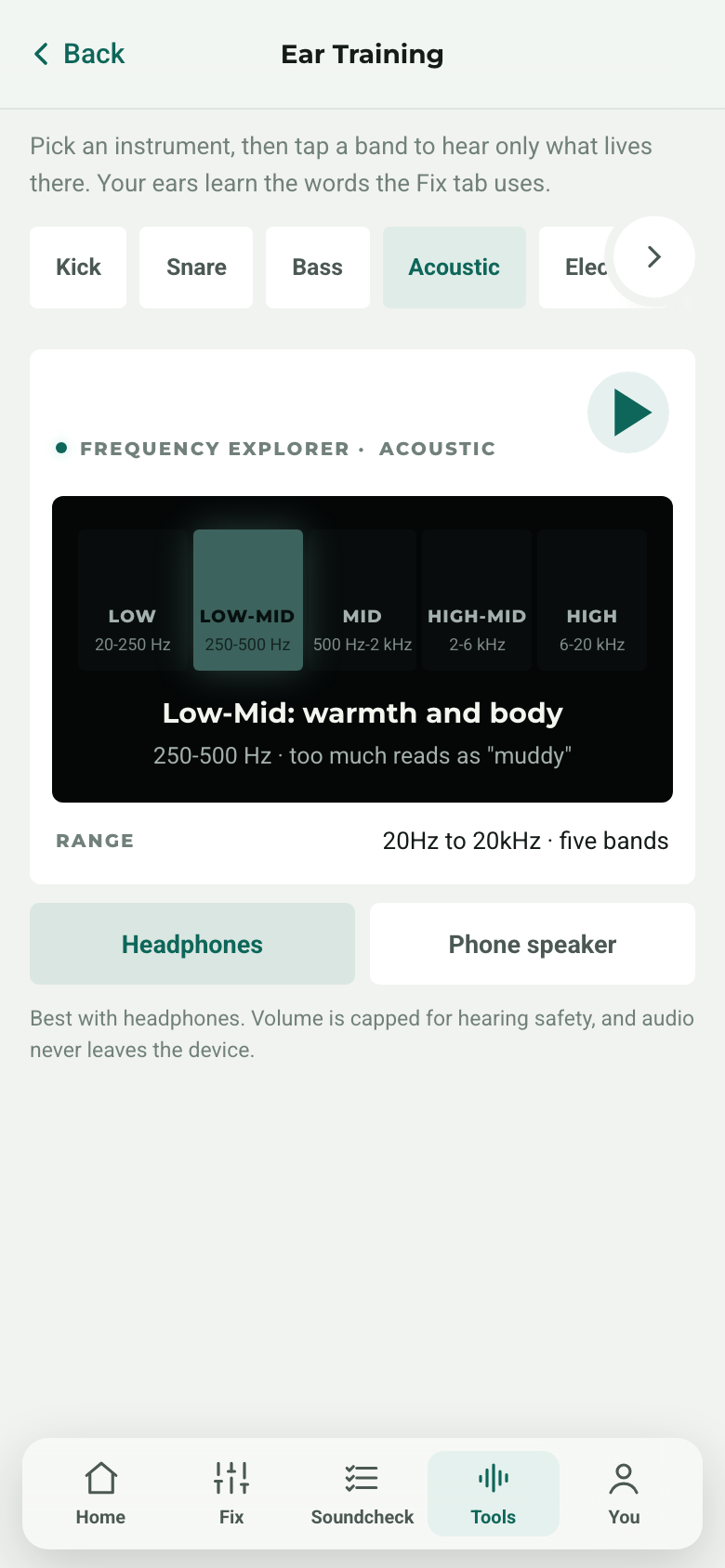
Real instruments from a real soundcheck: kick, snare, bass, acoustic, electric, and keys. Tap a band to solo only what lives there, from the lows to the air, until the words engineers use are sounds you recognize.

Every band shows its Hz range and its character in plain language: too much low-mid reads as muddy, too much high-mid reads as harsh. Ten minutes a week trains the vocabulary your Fix tab speaks. Part of EQExpert Pro.

EQExpert Ear Training: the Low-Mid band soloed on acoustic guitar, 250-500 Hz, too much reads as muddy

Triage before treatment. EQExpert checks whether EQ is even the fix.

Feedback, a dead channel, hum, clipping, a hot stage, a mic in the wrong place: the app routes you to the real problem first, then to the console move if one is needed. That is what makes it a mentor and not a settings vending machine.

And the rest

Small things that add up on a Sunday.

Guided rescue

Feedback, no sound, hum, clipping: one instruction at a time, each step explained, so you stay calm while you work the problem.

On your home screen

Add EQExpert to your phone and it opens like an app, full screen, one tap from the console. iPhone and Android.

Sign in without passwords

Continue with Google or get a 6-digit code by email. Your Pro access unlocks on any device you sign in on.

Compression and gate guidance

Pro adds per-source dynamics: ratios, attack and release direction, and when a gate helps or hurts, drawn on real curves.

Your rooms

Save your lineup once and soundcheck it every week. Pro keeps up to 3 venues, each remembering its own sources.

Your room remembers

Tap That fixed it and the win is banked. The next time that problem comes back in that room, the app recalls what worked. Signed in, it follows your account.

See it with your own room.

Every source answers in Free. Try it at your next rehearsal.

Start Free